SciSkill / Reference auditing
BibLint, in practice
Check a BibTeX file or a PDF reference list. Open the results. Follow each finding back to its evidence.
1. Check your references
Check references.bib, or use paper.pdf instead.
Recommended: Use the .bib file when available to avoid PDF extraction issues.
Ask your agent
/sciskill bib-lint references.bib
Save the audit in paper-audit.
Or run directly
uvx sciskill bib-lint verify references.bib \
  --output paper-audit --json
2. Open the results
Ask your agent
Open the BibLint viewer.Or run directly
uvx sciskill bib-lint view paper-audit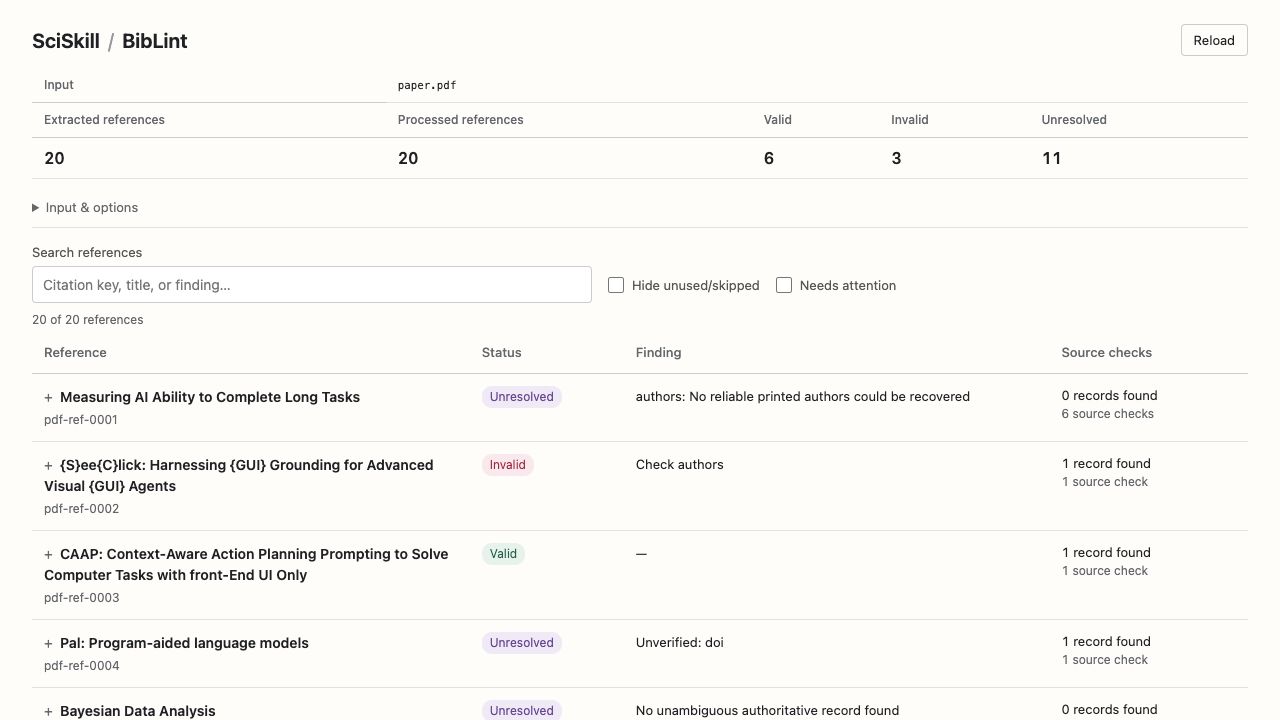
3. Read a finding
Each processed reference is Valid, Invalid, or Unresolved. Select its title to see the reason and source comparison.
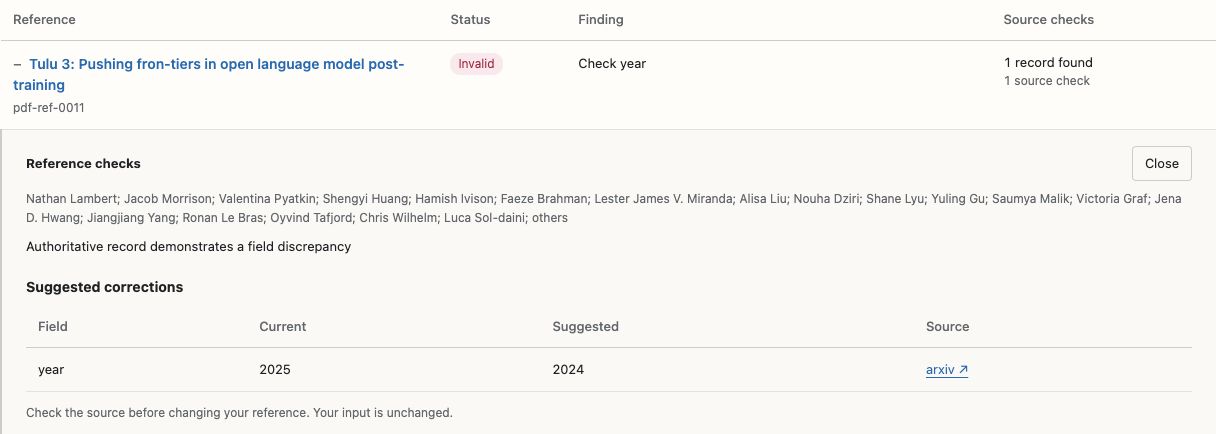
InvalidA source demonstrates a mismatch
A source demonstrates a metadata mismatch. Here the citation says 2025; the arXiv record says 2024.
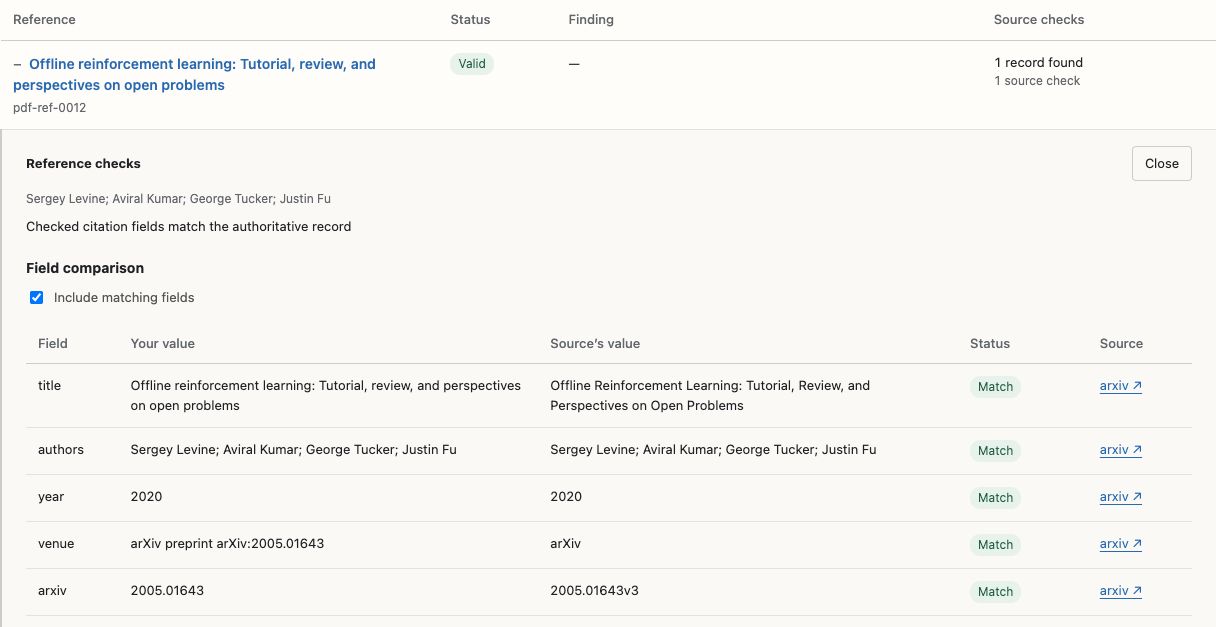
ValidThe checked metadata matches
The checked citation fields match the retrieved record.
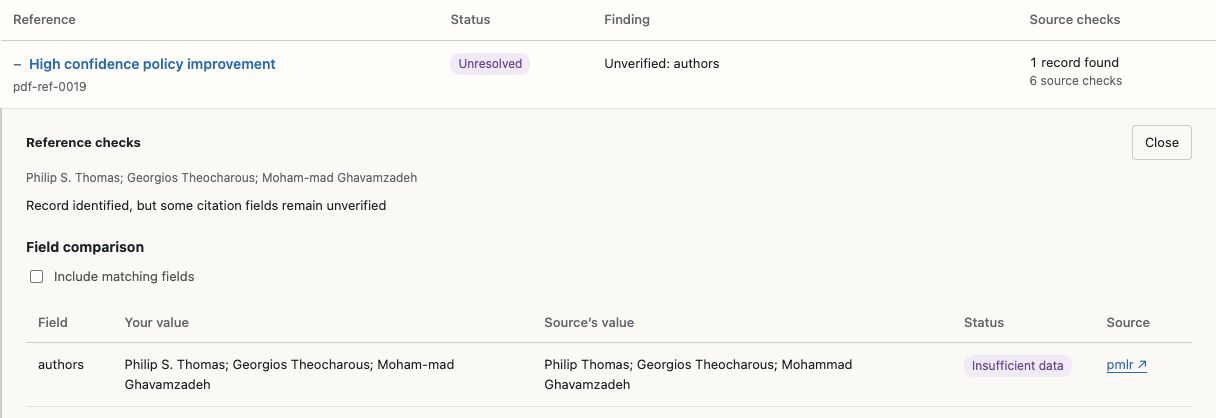
UnresolvedCould not verify confidently
A missing record, uncertain field, or incomplete author list prevents a validity decision. This does not mean the reference is invalid.